


The local administration of Cagayan de Oro has launched the Higala app QR code. It’s an app designed to help you track contacts all throughout the town.
Cagayan de Oro’s City Tourism and Cultural Affairs Office is responsible for developing and maintaining the system.
What really is the Higala app QR code scanner?
Customers who have downloaded the app and registered with it have given the app permission to collect their personal data. Visitors and locals alike can enjoy it. This method was used to track the number of people who entered service outlets and offices.
It also reduces the bother of filling out paper forms at every location you visit and permits contactless admittance to places that have imposed entry restrictions. Emergency situations can be prepared for using the gathered information. This program can be used on any web browser.
As soon as you’ve opened the web page, you’ll be prompted to provide some information, such as;
- Your full name.
- E-verification code that is sent to your phone number.
- Make sure your personal information is protected by checking the data privacy consent box.
- Now that you’ve proven you’re not a robot, you can proceed.
- Please input the code sent to your phone as well.
- Then you have to click submit button.
- Make sure your account is safe by creating a password and then entering it.
- You may save your profile changes by clicking the Save button.
- Then log into your account, from this page.
You can perform several activities on this page like:
- Using a QR code scanner
- You can create your QR code from the My QR code tab.
- Looking at the profile
- The page will allow you to view a history of your previous visits.
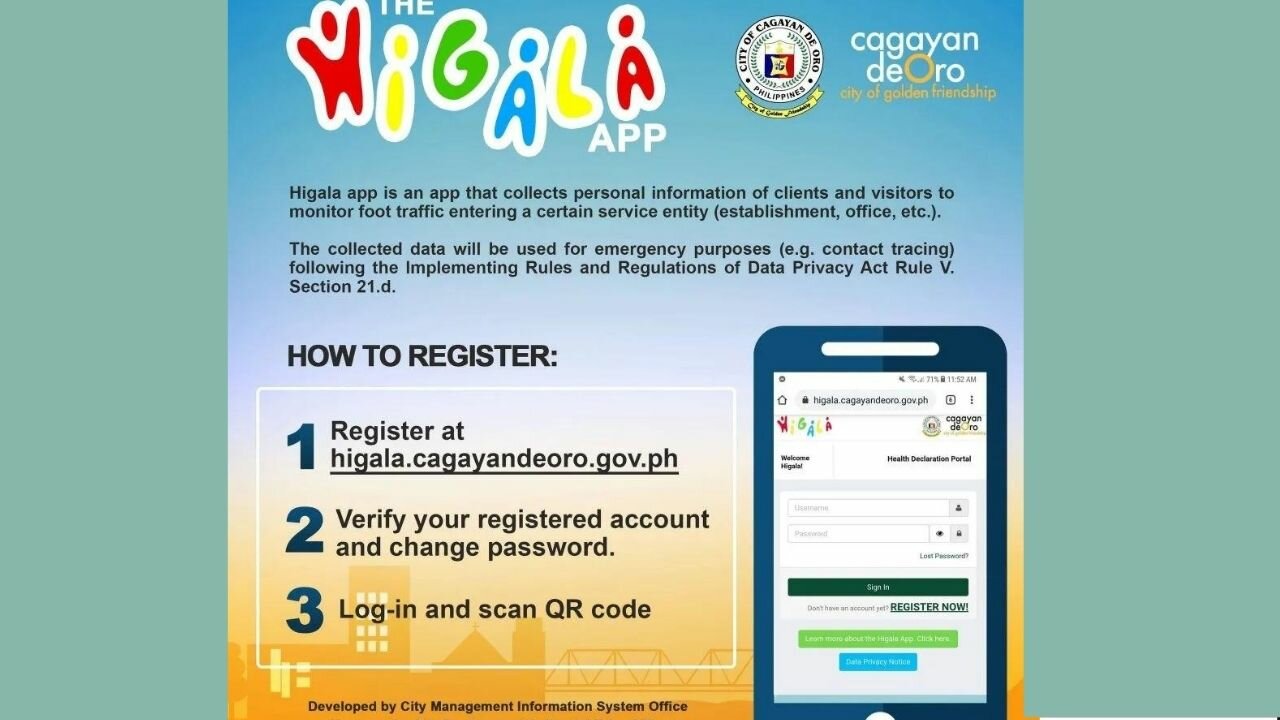
Wait for the QR code to be generated by clicking on My QR code.
The methods mentioned below can be followed if it has been generated.
- Enter your user id and password to log in.
- When you’re ready to scan a QR code, simply select the Scan QR code tab
- Scanned, select the Read QR option.
Once you’ve completed the health declaration form, you’ll need to answer the following questions:
- a person’s internal body temperature
- As in the last 14 days, if you have traveled outside of the Philippines.
- In the event that you possess a car or take public transportation.
- Finally, click on Generate Ticket and present it to the establishment.
How to download Higala app QR code?
To use it, you don’t need to download a QR code, then log in with your Higala QR code and begin using the app. You can simply use it in your web browser.
Where can I get a Higala app QR code in Cagayan de Oro City?
To obtain the QR code, simply complete the steps mentioned above.